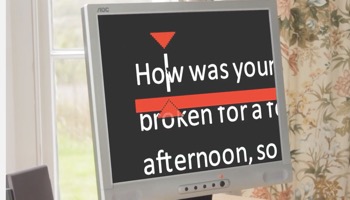
There are various versions of this software:
• SuperNova Magnifier is recommended screen magnification for people with low vision. Its True Fonts technology means digital content, words and images are clear, sharp and easy to read on screen, even at the highest magnification levels.
• SuperNova Magnifier & Speech offers additional accessibility for people with vision impairments. If you have deteriorating sight, or sight that fluctuates, use screen magnification to enlarge the words on screen, and read with speech when needed.
• SuperNova Magnifier & Screen Reader offers additional accessibility. Use Screen Reader to read text and information including punctuation, formatting, checkboxes and other content. Perfect for people with deteriorating or fluctuating sight.
• Dolphin ScreenReader
Dolphin ScreenReader is also an option included with SuperNova Professional and SuperNova Enterprise licenses. This fast and reliable screen reading software also supports electronic braille displays and is suitable for people who are blind.
Please note: All editions are included and available in SuperNova Professional and SuperNova Enterprise licenses.
Free 30 day trial - https://yourdolphin.com/SuperNova/Trial